VaultRAG

AI file manager with semantic document search, editable summaries, file actions, and web lookup in one app.

Product VaultRAG
Type Desktop App, Apple Silicon
Status Beta
Year 2026

Who VaultRAG is for

A better file manager for people with too many files.

VaultRAG is useful for anyone who wants a smarter way to find, understand, and work with their documents. It is especially powerful for researchers, students, power users, people who live in PDFs and Office files, and anyone already using AI heavily who wants their local files to be part of the workflow.

Search your vault

Find files by what they say, not just what they're named. VaultRAG runs embedding search over AI-generated summaries of every document, so natural-language queries surface the right content even when you don't remember the filename. You can still narrow by name when you want to, and your vault stays a dedicated folder, fully separated from the rest of your system.

Every major model

Access top-tier models through OpenRouter with no compromises on power. One key connects you to OpenAI, Anthropic, Google, Meta, and more. Review each model provider's data policy in OpenRouter and choose the endpoints that match your requirements.

Work with your documents

Pin a file from a search result to keep it handy, drop it into the model's context to ask questions about it, and dial search depth up or down for the task at hand. VaultRAG also auto-tunes its retrieval thresholds as you search, so results get sharper the more you use it. You still get the desktop workflows people expect, including AirDrop on Mac and mounted or mapped network drives.

Reads what others can't

Parses Microsoft Office files down to the embedded images inside them: .docx, .xlsx, .pptx, .pdf, .epub, .msg, .eml, and more.

7-day trial, then one-time purchase — $35

Start free with no credit card. Trial licenses are valid for 7 days on one device. When you're ready, pay $35 once for the desktop app and use it on up to two devices. Updates are included for free. Most users spend just $5-10/month on AI usage through OpenRouter vs $20/month for ChatGPT Plus or Claude Pro. Get the same models while actually working with your files. New to OpenRouter? See the OpenRouter setup guide in the docs.

Tune it your way

VaultRAG summarizes every document on import so search works out of the box, and you can edit any summary by hand when you want a sharper description. Customize the system prompt to steer the model's tone, focus, and behavior to match how you actually work.
Workflow

Chain file actions in one request.

VaultRAG combines semantic search, filename filters, opening files, and reading file contents into a faster workflow.

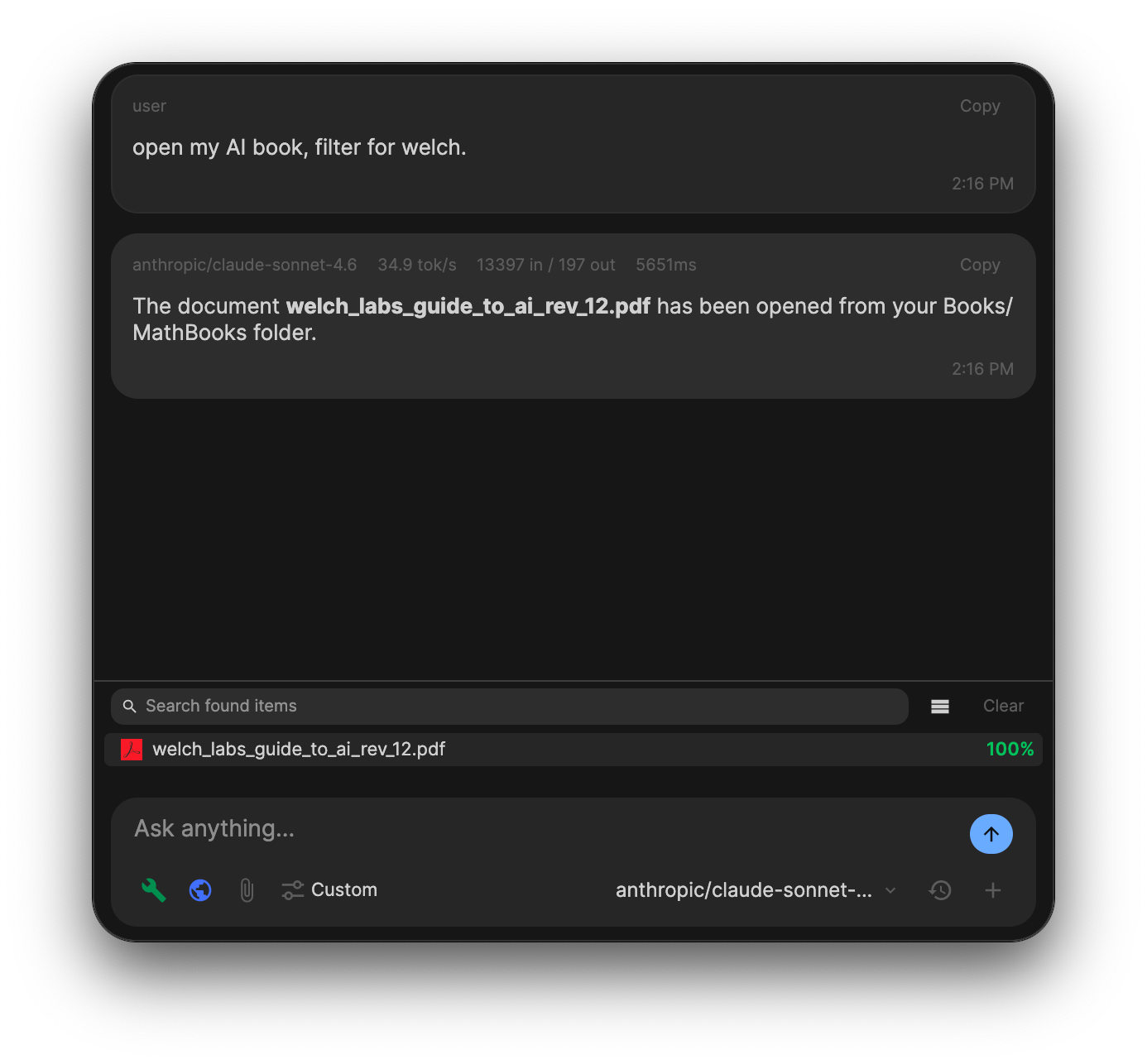
VaultRAG chat finding, filtering, and opening a file

Search, filter, then open the file

Search and filter on your files in one message. VaultRAG looks by meaning and narrows the matches with any keyword or filename hint you include, so unrelated results stay out of the way. Ask to open the document and VaultRAG opens the matching file for you.

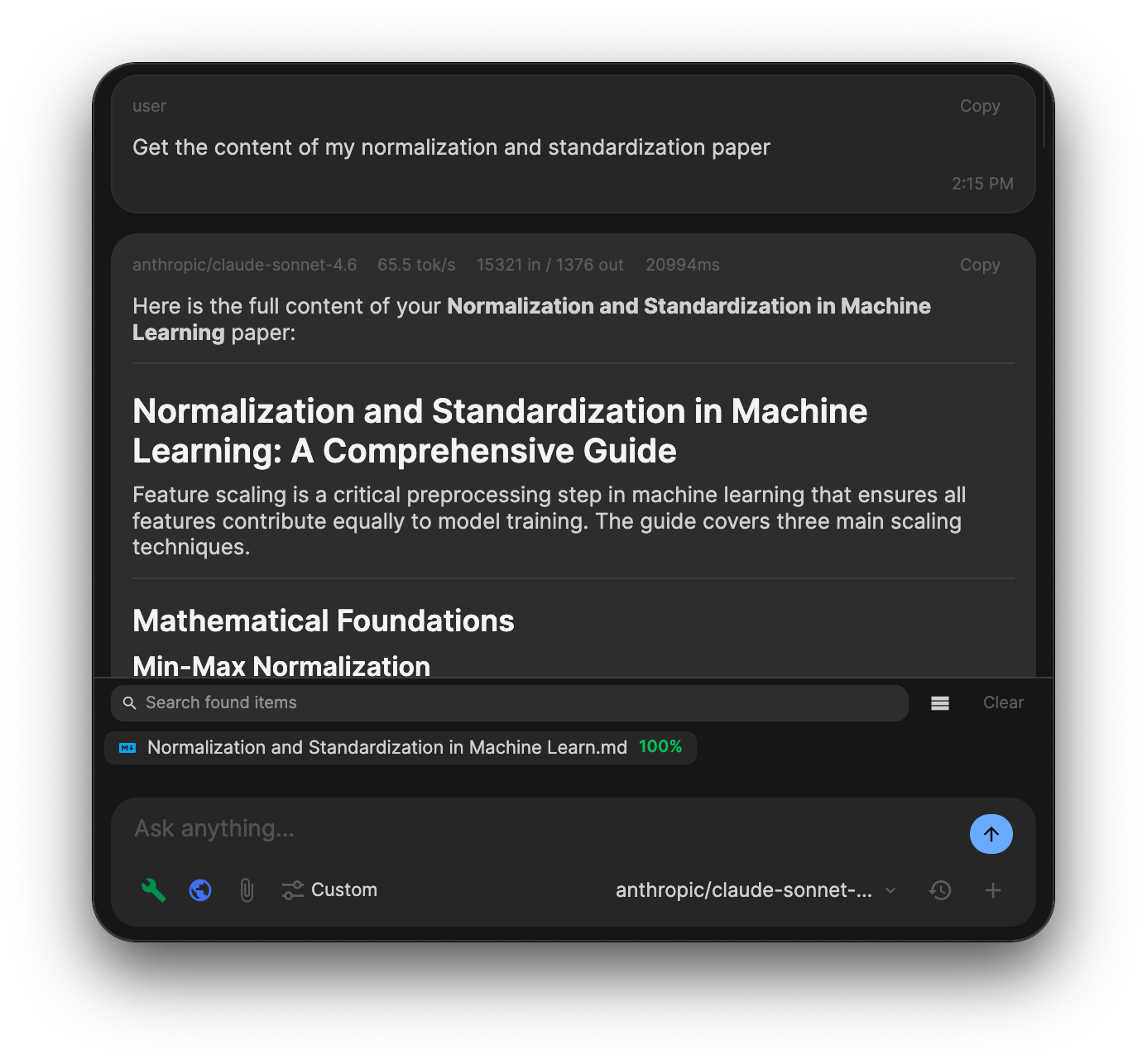
VaultRAG chat reading file contents into the conversation

Read the likely match immediately

If you know the top search result is probably the right file, ask VaultRAG to search and read it in the same request. The file becomes chat context right away, ready for questions or summaries.

File manager

A real file manager, one tab away from chat.

VaultRAG also ships with a full file manager built into the same app. One keyboard shortcut tabs you between chat and the file manager, so you stop bouncing between two separate apps and get your work done faster.

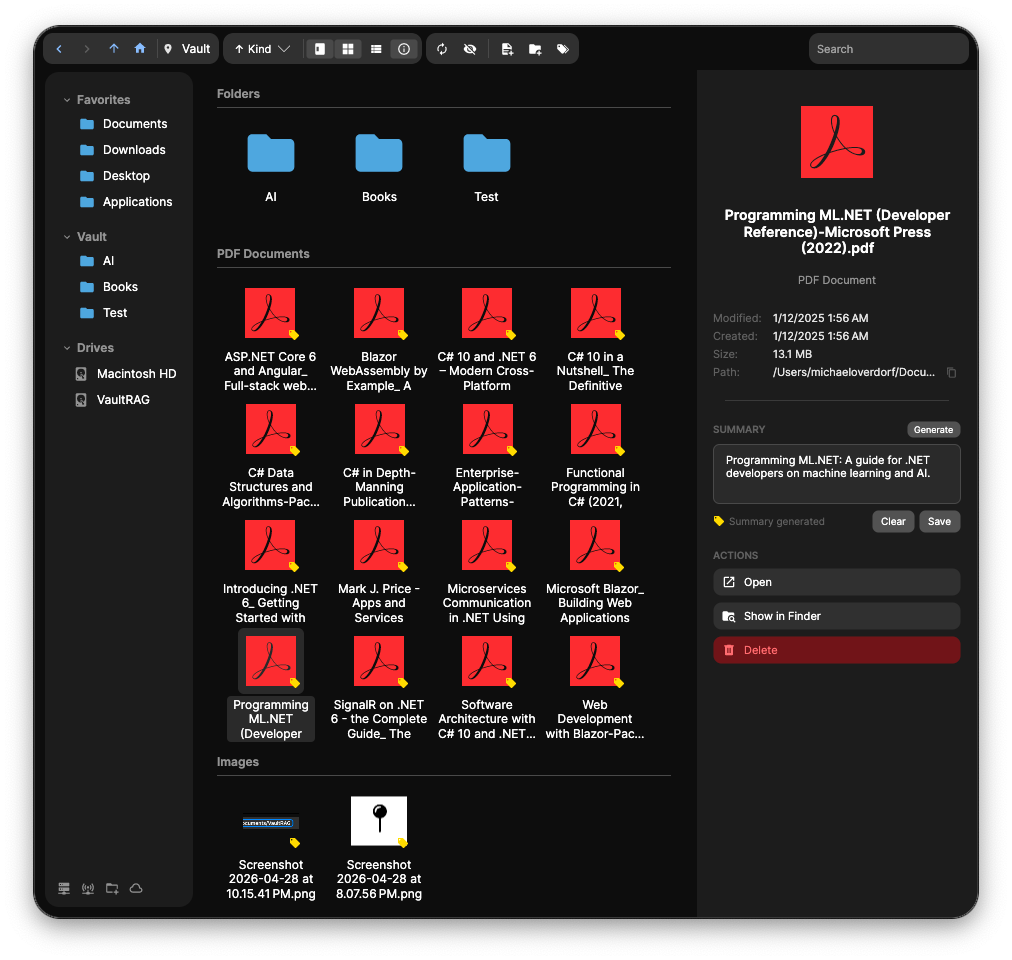
VaultRAG file manager showing folders, PDF documents, sidebar with Favorites, Vault, and Drives, and a preview pane on the right
The VaultRAG file manager with sidebar, grid view, and preview pane.

Everything you expect from a desktop file manager is here. Browse with list view or grid view, sort however you like, and jump between local drives, mounted servers, and your VaultRAG vault from the sidebar. Add your own folders to the file tree and group them into Favorites for one-click access.

Preview files inline with the preview pane, or hit space bar for a quick full preview the same way you would in Finder. Generate or edit a file summary right from the preview, then pin the file to the chat for easy access or drop it straight into the chat context to ask questions about it.

Create new files and folders directly inside the vault, search across everything from the top bar, and move around quickly with keyboard shortcuts. It is a file manager and an AI workspace in one window.